Manage Company Cost Code Groups
In order to add costs to locations Cost Codes are required, in order to ensure that costs for different kinds of events can be managed efficiently they’re organized into groups. You can have multiple cost code groups in order to break out your account codes for better management of your costs. This guide will show you how to create new groups.
Visit the cost codes page
From the Company menu select Cost Codes.
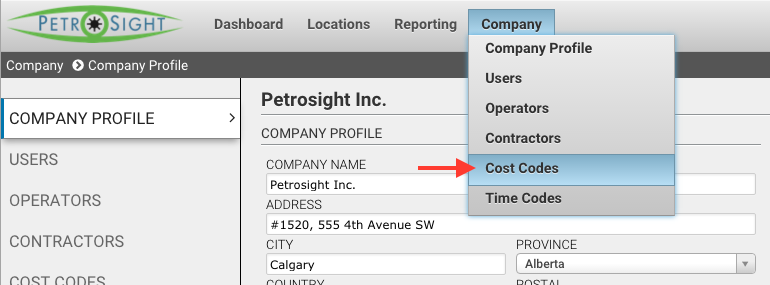
If the option doesn’t exist you might be part of an engineering firm or a service provider. Engineering firms can manage their client’s codes on the Operators page.
Add the cost code group
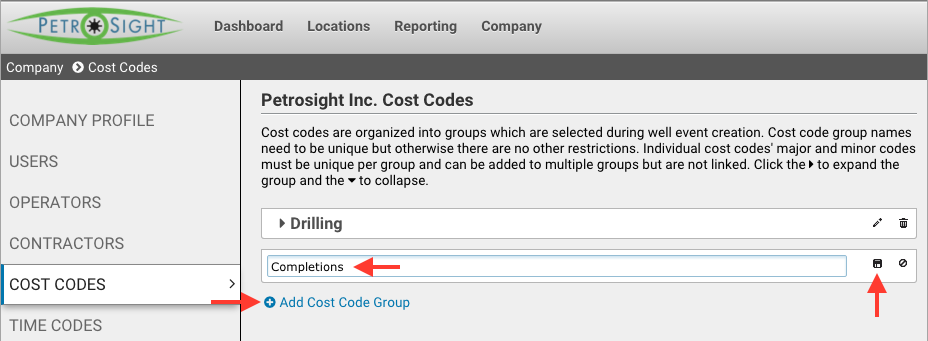
On the Cost Codes page, click the Add Cost Code Group and enter the new group name and click the save button (floppy disk icon).
Finalize
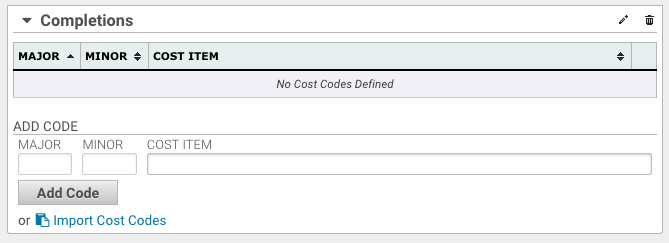
Once the group is created it’s available for use when creating well events. In order to add your account codes to the new group follow the Create Cost Codes Guide.
Was this article helpful?
That’s Great!
Thank you for your feedback
Sorry! We couldn't be helpful
Thank you for your feedback
Feedback sent
We appreciate your effort and will try to fix the article