Petrosight allows for operators and consulting firms to set a company logo to be included on PDF and other exported reports.
Preparing
Petrosight uses logos that are approximately 90 by 50 pixels in dimension. Please ensure that the logo you're using conforms to these dimensions in order to have the best possible result.
Setting the Logo
Login To Petrosight
As a company administrator login to Petrosight at https://app.petrosight.ca/ to configure your company logo.
Company Profile
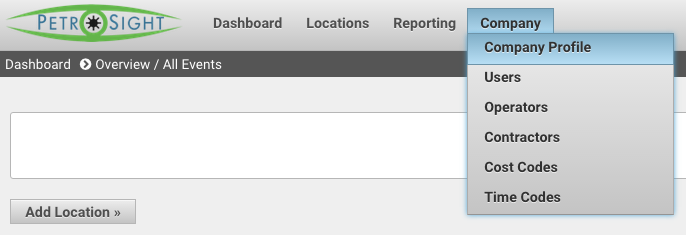
Select Company Profile from the Company menu at the top of the page.
Select Image
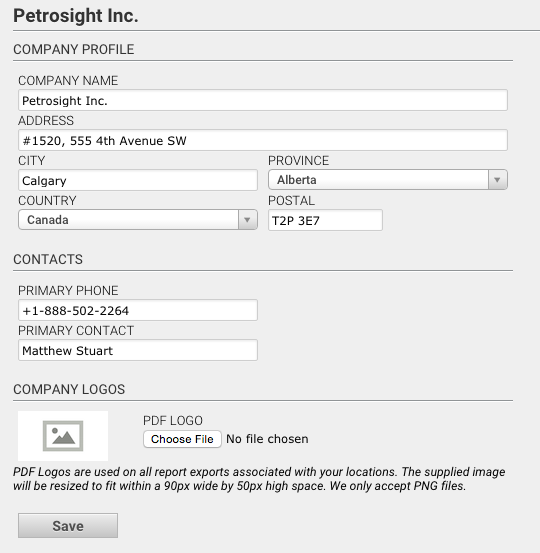
On the Company Profile page, click Choose File under PDF Logo
Save
Finally, click the SAVE button to update your logo.
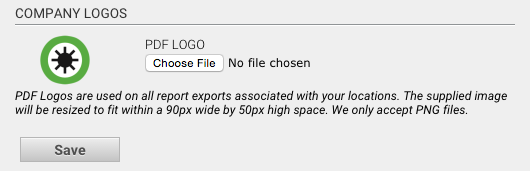
Your logo will now render on the top right hand corner of all exported PDF reports for locations that you own. You can follow the above steps to update your logo at any time.
Was this article helpful?
That’s Great!
Thank you for your feedback
Sorry! We couldn't be helpful
Thank you for your feedback
Feedback sent
We appreciate your effort and will try to fix the article