Manage Company Cost Codes
Individual cost or account codes are used to track expenses on well events. Please review Tutorial: Company Cost Code Groups guide before completing this guide.
Reveal the Form
Expand the cost code group by clicking the triangle next to the group you’d like to add a cost code to.

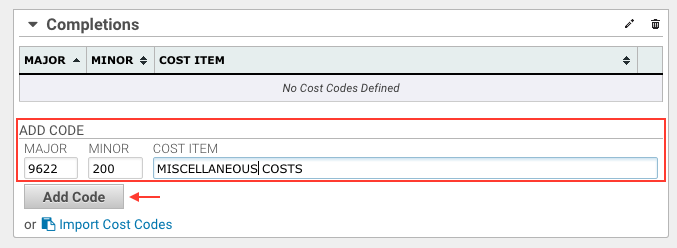
Add the Code
In the form at the bottom of the group box enter the pertinent details for the new code. Major and COST ITEM are required fields. Once entered click the Add Code button. Cost codes cannot be duplicated within a group but can be added to multiple different groups.
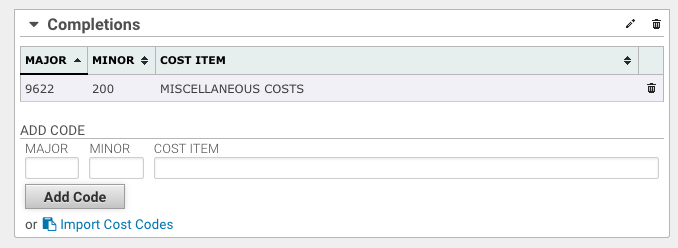
Complete
Your cost codes have now been added to the group and can be used on locations. Cost code additions to groups already in use will become available immediately to existing and new locations.
Was this article helpful?
That’s Great!
Thank you for your feedback
Sorry! We couldn't be helpful
Thank you for your feedback
Feedback sent
We appreciate your effort and will try to fix the article