Enhancements
Portal
- On Finance > Invoice and Payroll, users can now email invoices and driver/contractor settlements directly from the system.
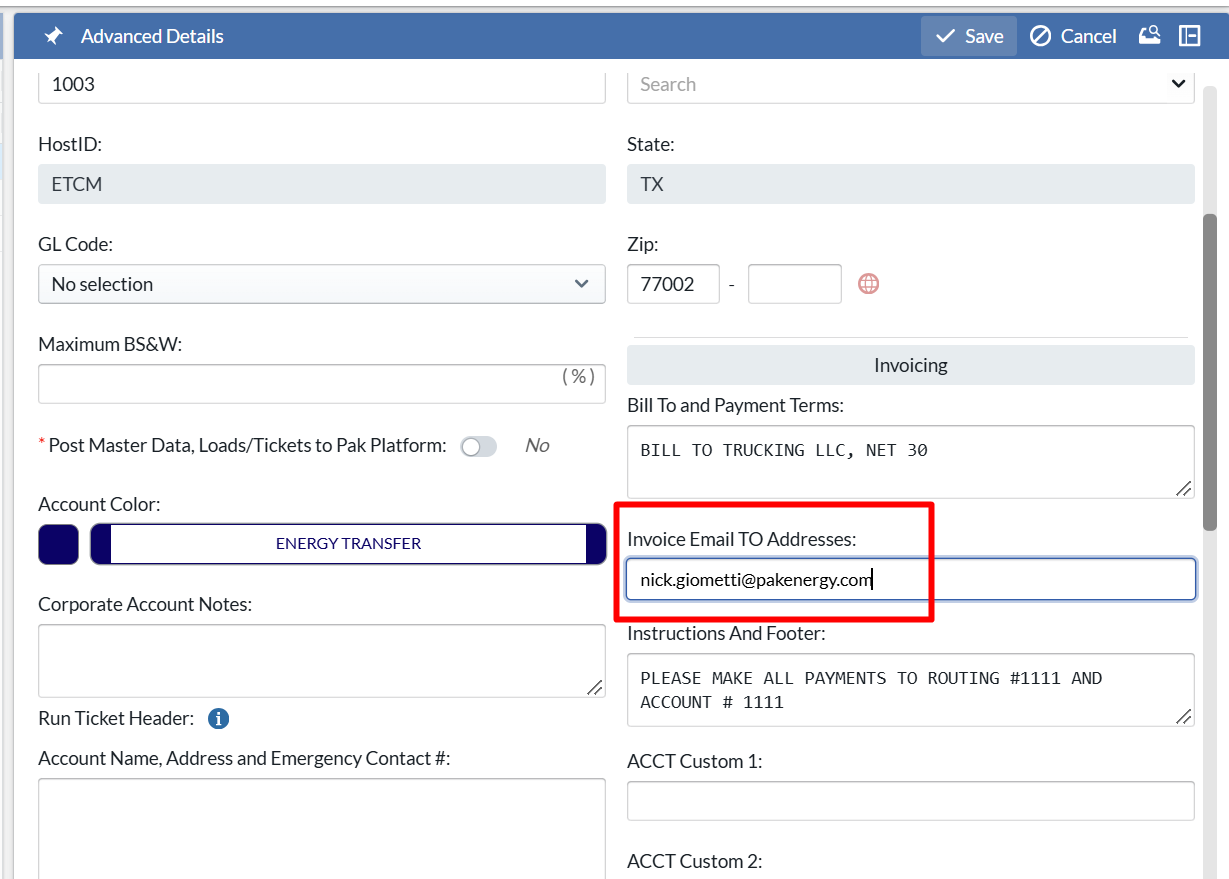
- For invoicing, a new field Invoice Email TO Addresses has been added to setup > account screen in the invoicing section. Multiple emails can be added. When a user sends an invoice tied to this bill to account, it will auto populate these email addresses in the To field.
- For payroll settlements
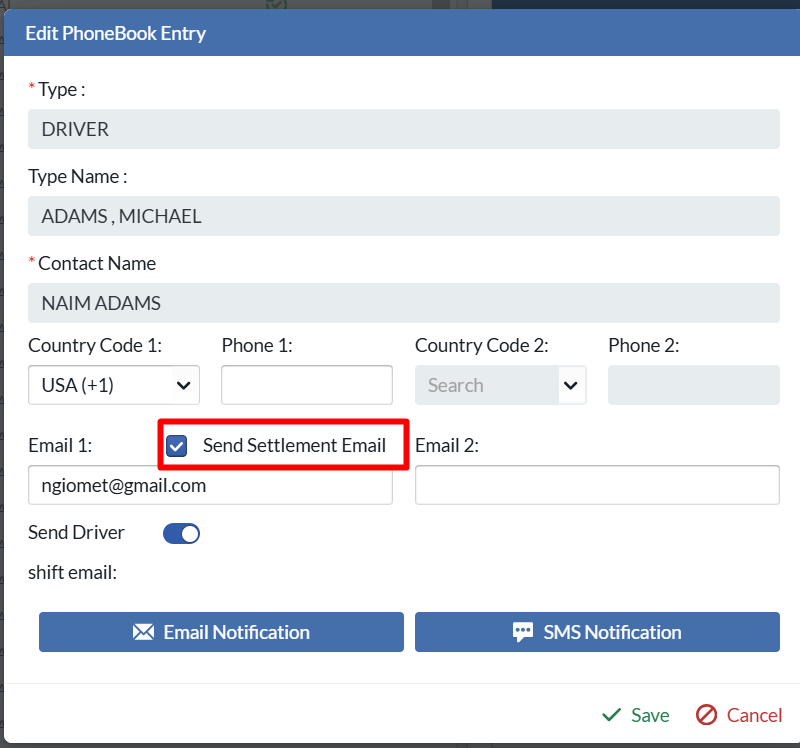
- If batch by is driver and the driver is a company driver, the auth0 email and any phonebook contact tied to the driver with Send Email Settlements flag ON. These emails will be used to auto populate the To email address when sending emails.
- If batch by is truck and the driver is a company driver, no To email addresses will be populate. Emails will only be sent to the CC email.
- If batch by is driver or contractor or truck, If the driver/truck is associated to a contractor, we only include the email addresses tied to the contractor's phonebook contacts which have Send Email Settlement flag ON. These emails will be used to auto populate the To email address when sending emails.
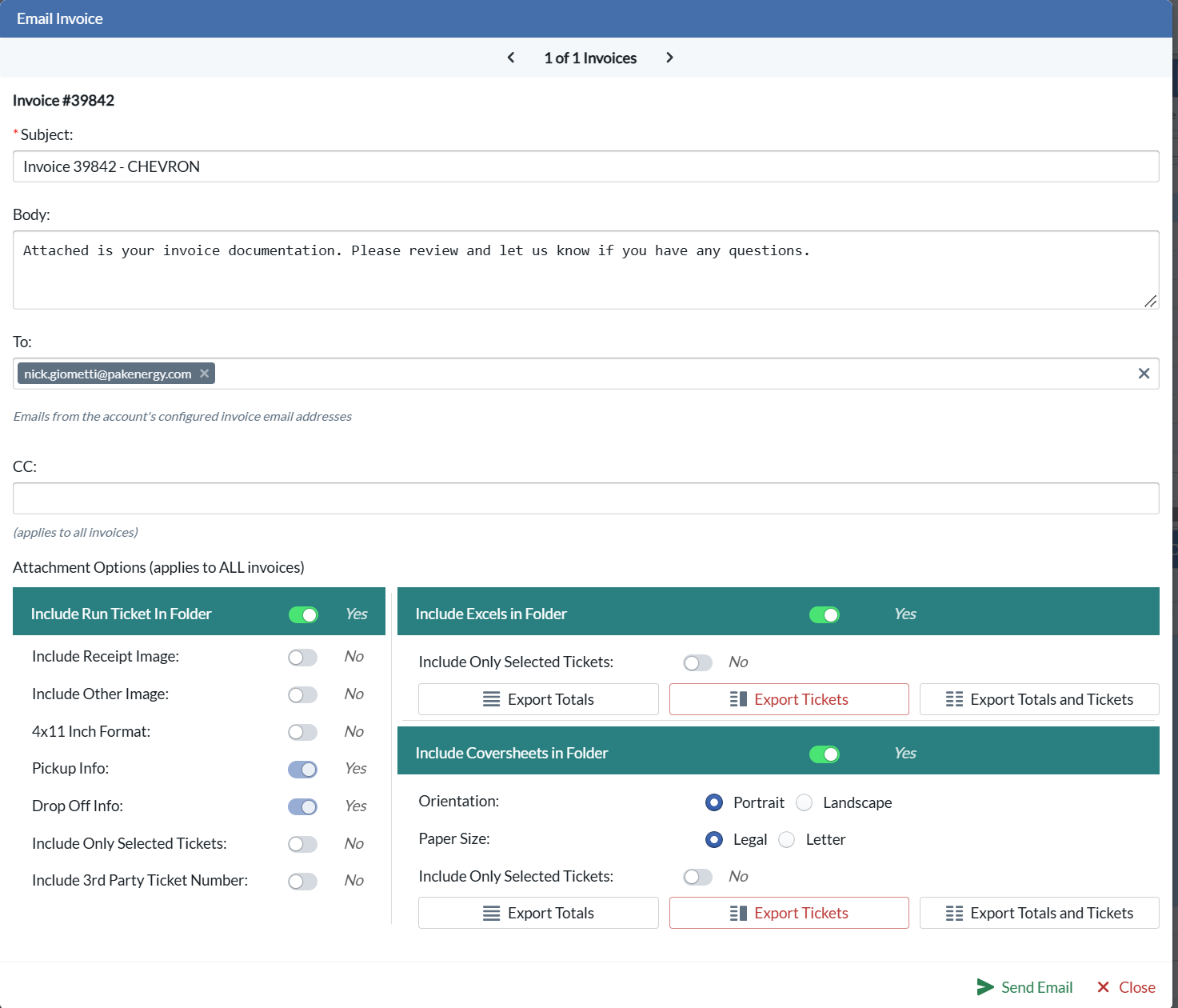
- Finance > invoice, once an invoice is created, the Email icon can be clicked to bring up the staged email popup. At the top if there are multiple invoices being sent, a user can click thru each one to review. The subject will auto populate with the invoice # and bill to account. The body is generic message which can be updated. The TO email will auto populate from setup > account and the CC email will always be blank and user can input multiple email addresses. The CC emails will apply to ALL invoices being sent out. The user can also determine what attachments they want to include and format them accordingly; Run Tickets, Coversheet and Excel. The attachment selections will apply to all invoices being sent.
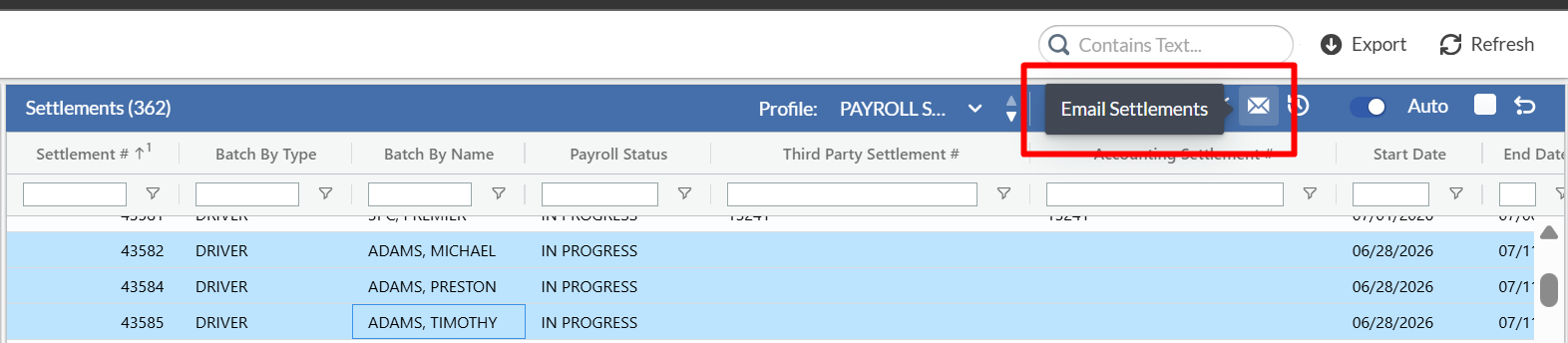
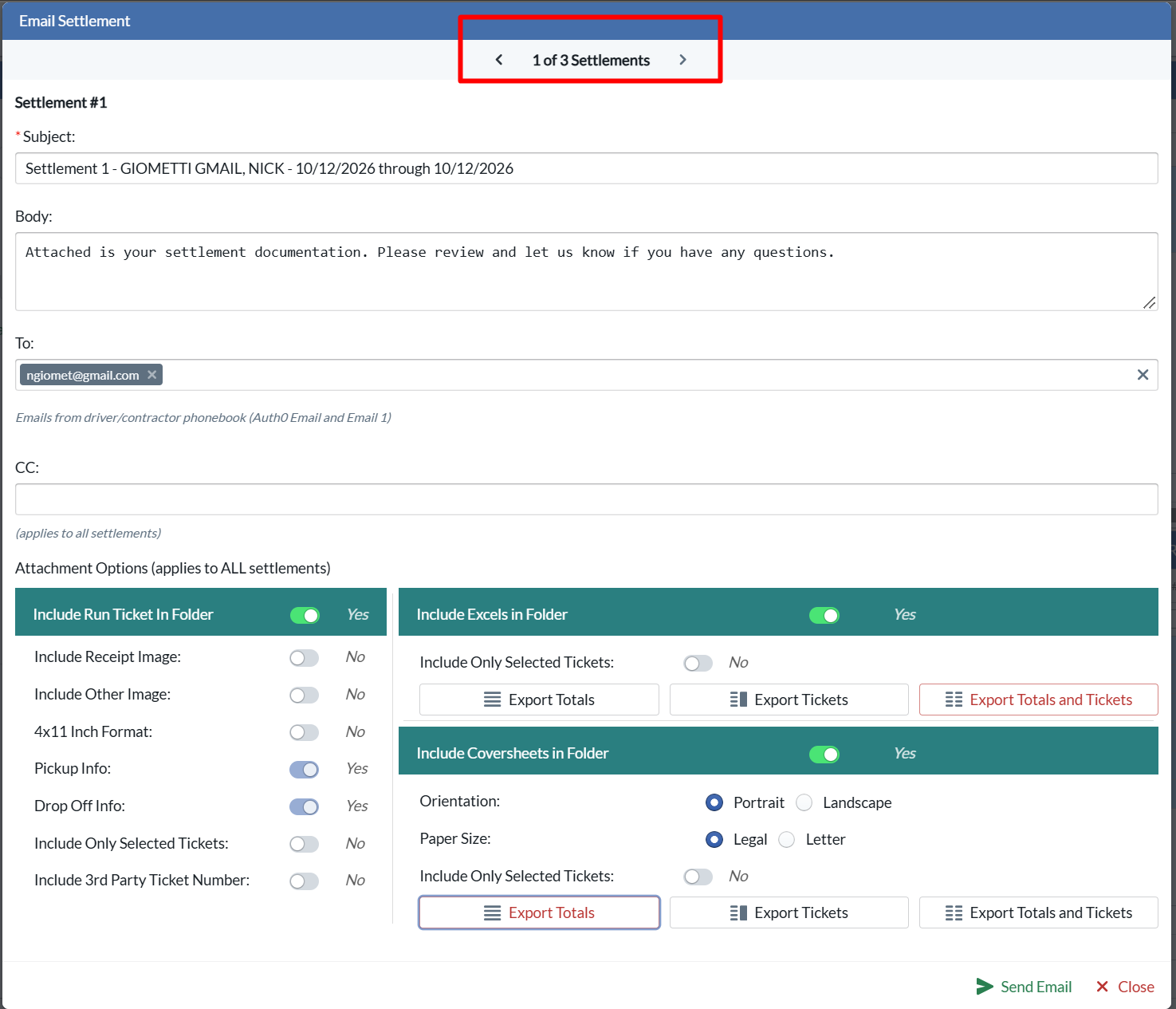
- On finance > payroll, once settlements are created, the Email icon can be clicked to bring up the staged email popup. At the top if there are multiple settlements being sent, a user can click thru each one to review. The subject will auto populate with the settlement #, driver or contractor or truck associated and the start date and end date. The body is generic message which can be updated. The To email will auto populate from setup > driver or contractor and the CC email will always be blank and user can input multiple email addresses. The CC emails will apply to ALL payroll settlements being sent out. The user can also determine what attachments they want to include and format them accordingly; Run Tickets, Coversheet and Excel. The attachment selections will apply to all settlements being sent.
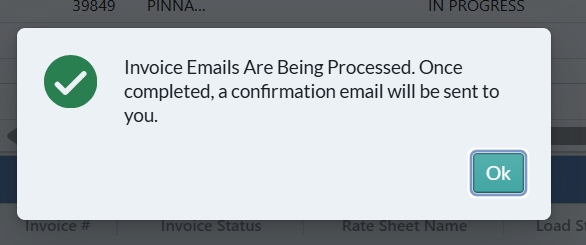
- For both invoices and settlements, when the email is sent a user will receive the following popup. Once the invoice(s) or settlement(s) are sent, the user who sent the email will receive an email showing every invoice email or settlement email which was sent, who it was sent to, who sent it and the result (success or a failure).
- For invoicing, a new field Invoice Email TO Addresses has been added to setup > account screen in the invoicing section. Multiple emails can be added. When a user sends an invoice tied to this bill to account, it will auto populate these email addresses in the To field.
- Dispatch > advanced dispatch
- 2 new sort options have been added so a dispatcher can sort the list of drivers in the Drivers working today section based upon Loaded Mile % (Low to High or High to Low).
- If a load is rejected or a location is skipped, the miles, times and ETA will be updated to reflect the driver is NOT going to the drop off any longer and will be headed to the next loads pickup.
- If a driver's start location is defined as sleeper, the deadhead miles, time and ETA to 1st loads pickup will be based upon the last drop off location from prior day shift.
- The pickup arrival date/time ETA and completion date/time ETA will estimate the time and once we have actuals it will display the ticket's pickup arrival date/time and completion date/time.
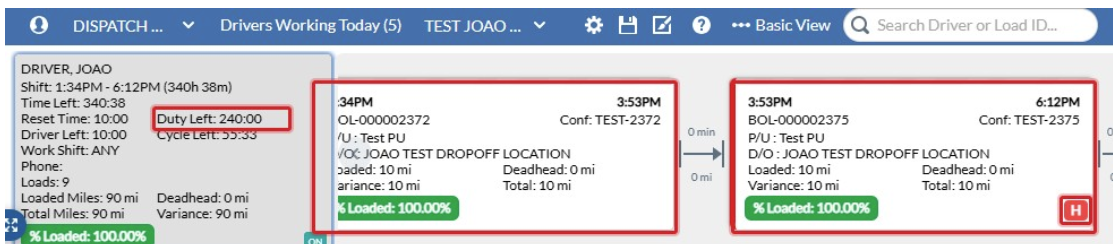
- A new HOS warning has been added, so if a load will take the driver over hours of service an H will display in the bottom right corner of the load which could take driver over HOS.
- GL Codes have been added to enable companies to generate GL imports into their accounting systems. GL codes can be added per entity on setup > pickup, drop off, operator, account, account district, driver, truck, trailer, terminal, scenario and fields. The GL codes can be manually input on the setup screens or via API.
- On Load creation, if a dependency form is part of load creation pickup or drop off layout and the form is defined as required, it will require the dispatcher to input 1 row for the dependency form.
- For crude haulers, the gross, gsv,net and corrected gravity calculations have been updated to mirror the flutter app and use additional decimals. The portal's calculation could be off by .01 or .02 due to decimal rounding variances. These now match each other 100%.
- The dispatch board has received some improvements to speed up loading times.
Mobile
- NA
API
- NA
Bugs/Issues
- For crude haulers, on the load/ticket detail screen when a user edits a ticket, the gross, gsv, net and corrected gravity were not recalculating unless user made changes to fields which impacted those calculations. We have changed this now so on edit it will recalc with no changes.
- On the load/ticket detail screen, next to various date/time fields, the timezone reflected did not factor in daylight savings. It was a display issue. This issue has been corrected.
- On setup > forms and fields, an issue was identified where all fields tied to the form would disappear. This issue has been resolved.
- The top, bottom and bottom height fields showed a NA for the 1/4 inch in some uses cases. This issue has been resolved
- On invoice and payroll, the column widths stored in the profile were not always loading properly. This issue has been resolved.
Was this article helpful?
That’s Great!
Thank you for your feedback
Sorry! We couldn't be helpful
Thank you for your feedback
Feedback sent
We appreciate your effort and will try to fix the article