1. Select the definitions tab: 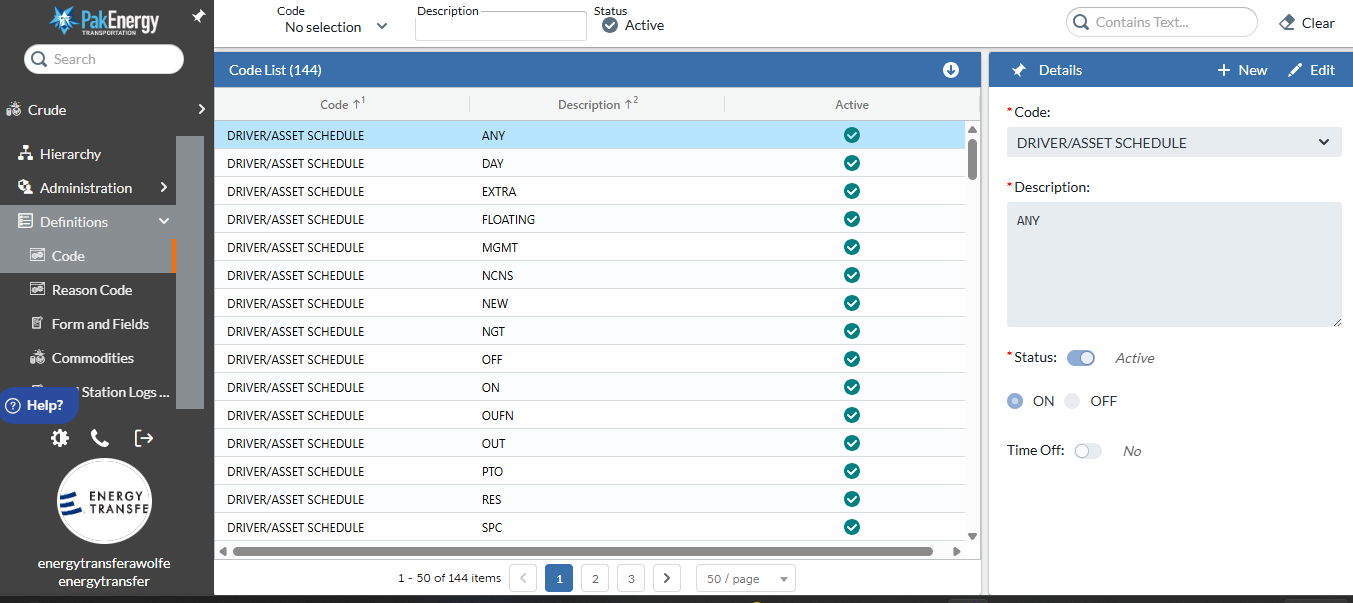
2. To add or modify a Code or Reason Code, select Code or Reason Code and New or Edit.
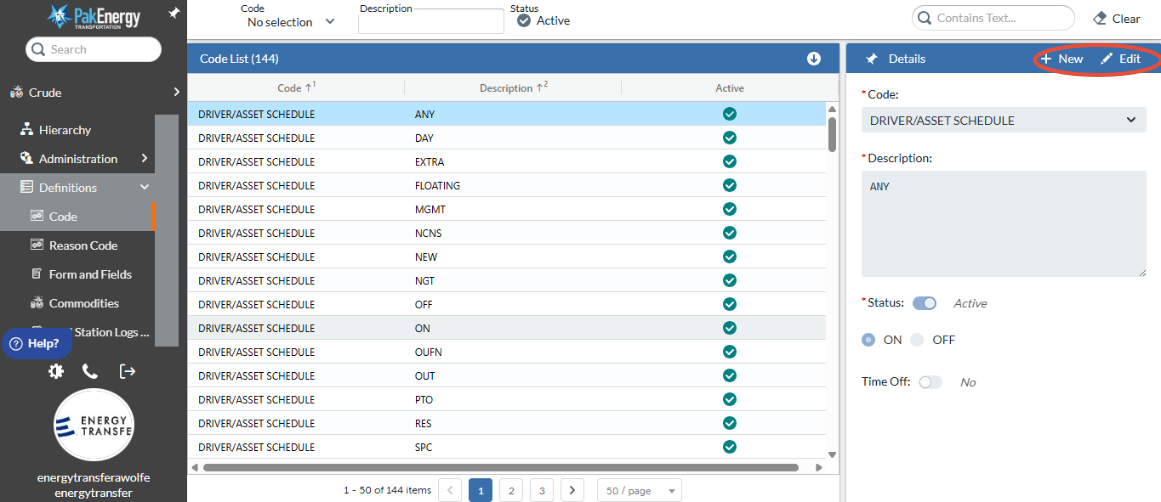
3. To modify Forms and Fields, Select the Form and Fields tab on left and tap on the desired field to add or modify and select New or Edit in upper right hand corner.
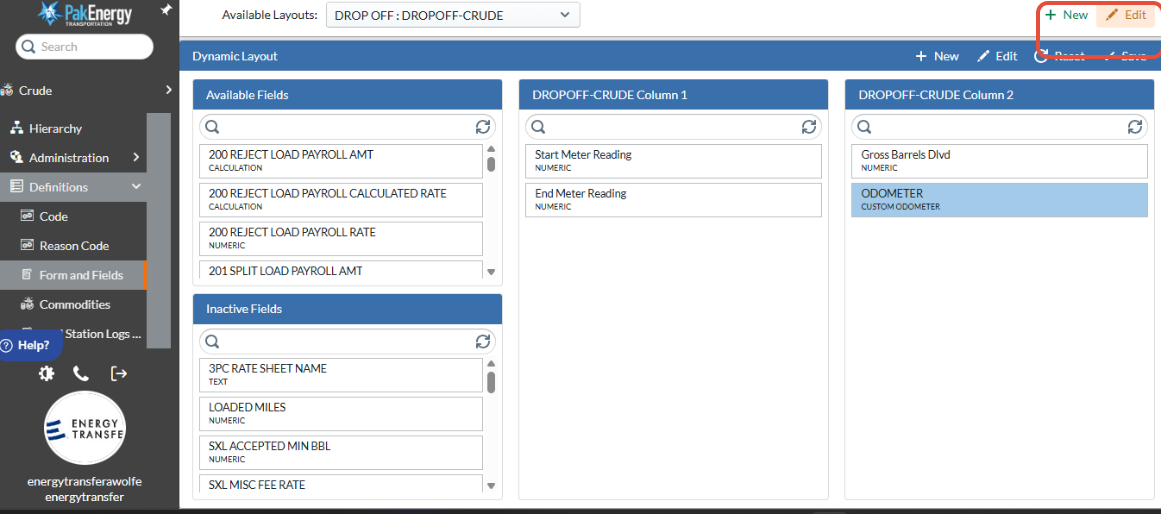
4. Tap Save when completed.
Was this article helpful?
That’s Great!
Thank you for your feedback
Sorry! We couldn't be helpful
Thank you for your feedback
Feedback sent
We appreciate your effort and will try to fix the article