New Mobile App
Enhancements
DVIR Added to New Mobile App
- DVIR/Pre and Post Trip inspections can now be utilized with the PakTransportation app. To turn on pre and post trip inspections, go to setup > admin > company tab and turn them on.
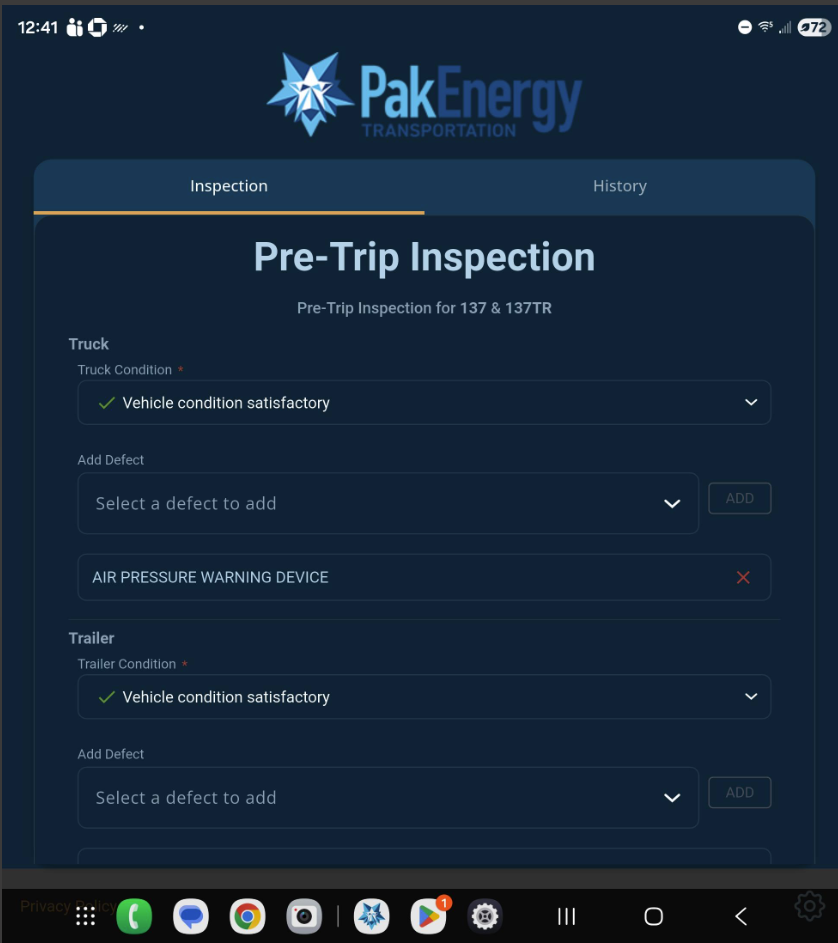
- When the driver logs in and enters their truck, odometer and trailer, the next screen driver will see is a pre-trip inspection. The driver can determine the truck and trailer conditions and define any defects. Driver can complete a signature, add remarks, print their Pre Trip and take photos.
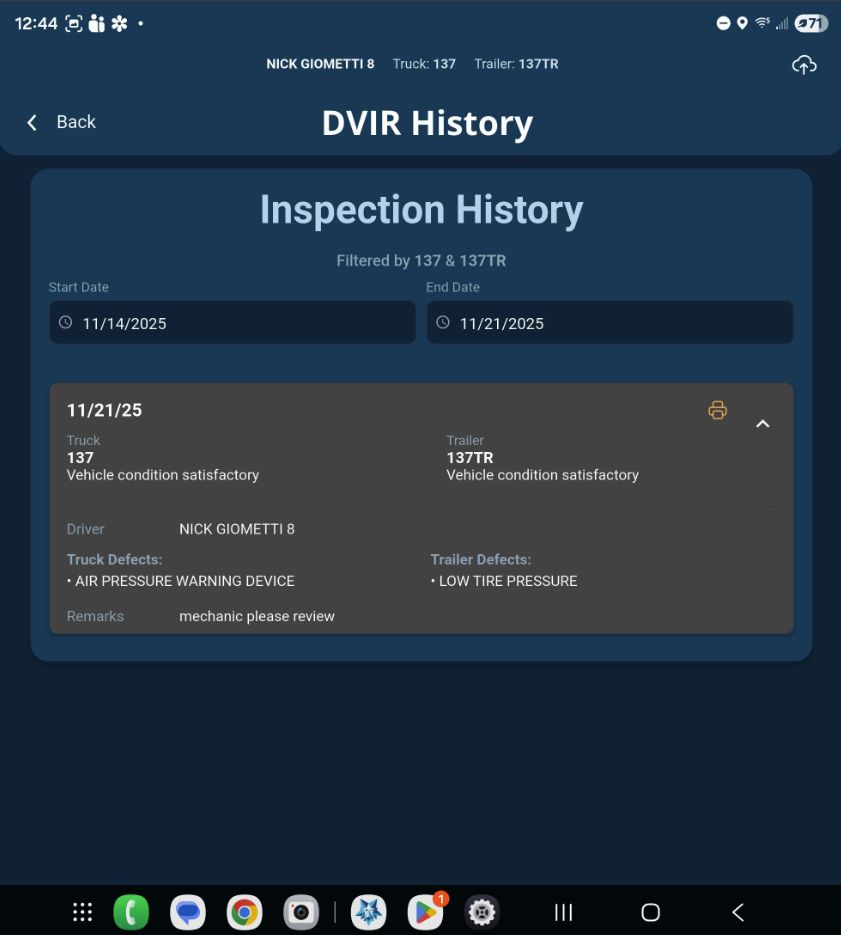
- All submission will be available on Review > DVIR screen. The same workflow will occur if a driver changes truck and trailer mid shift or when they are done for day they can complete a Post Trip Inspections if this feature is turned on. The driver can also click on the HISTORY tab to see prior DVIRs for the truck and trailer they are logged into.
- On dispatch > board, if a user right clicks on driver and clicks Logout Driver, they could force a logout of the driver if driver forgot. This will record a logout date/time and close the app on the driver's mobile device
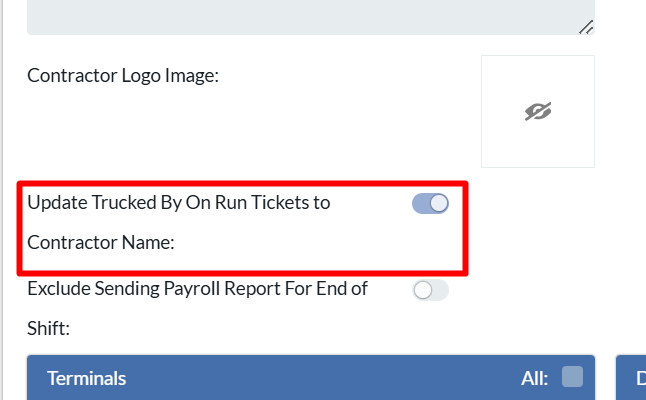
- On the run ticket, the Trucked By Field can now print the terminal or contractor level name if these features are turned on for a load tied to a specific terminal or the contractor who is doing the load. If terminal or contractor level are OFF then it will print the company's name.
Bugs/Issues
- For companies using dependency forms, the field attribute "Visible On Tablet" can be turned OFF if the company wants to hide this field from pickup or drop off form so driver can't see it.
Was this article helpful?
That’s Great!
Thank you for your feedback
Sorry! We couldn't be helpful
Thank you for your feedback
Feedback sent
We appreciate your effort and will try to fix the article